






- Find the best broker for your trading needs
- Compare spreads, fees, and platforms
- Read in-depth reviews and analysis

Page Navigation


Select a different country or region to view content tailored to your location.

FxScouts helps traders across the globe by meticulously testing and reviewing online brokers and providing Forex education and market analysis. Our partners compensate us through paid advertising. While partners may pay to provide offers or be featured, they cannot pay to alter our recommendations, advice, ratings, or any other content. Our content and research teams do not participate in any advertising planning nor are they permitted access to advertising campaign data. For more detailed information click this link.

Ida is a financial writer with a passion for cryptocurrencies, blockchain networks, and Forex trading. A dedicated crypto trader, she developed a deep interest in Forex technical analysis and price action, continually expanding her expertise in market trends and trading strategies.

Ida is a financial writer with a passion for cryptocurrencies, blockchain networks, and Forex trading. A dedicated crypto trader, she developed a deep interest in Forex technical analysis and price action, continually expanding her expertise in market trends and trading strategies.
<p>Alison Heyerdahl is the Head of Content at FxScouts, a Chartered Market Technician (CMT), and an experienced trader, as well as a financial writer with extensive expertise in Forex trading, broker analysis, and market research. She has reviewed 100+ brokers, publishes weekly YouTube trading videos, and co-hosts the “Let’s Talk Forex” podcast.</p>
Choosing the right forex trading platform in 2025 requires more than just comparing spreads or execution speed. The platform you use should align with your trading style, level of experience, and technical needs—whether that means automation, mobile compatibility, or access to raw market data. With hundreds of platforms available, and each broker marketing theirs as “the best,” it’s easy to feel overwhelmed by features you may not need or interfaces that slow you down.
In this guide, we’ll help you find the best Forex trading platforms for 2025, focusing on what really matters for Australian traders: safety and regulation (including ASIC licensing), trading costs, customer support, mobile access, and education for beginners.
Let’s take a look at the top Forex brokers with the best trading platforms in the Australia this year.
Trusted. Transparent. Tested.
For over a decade, we’ve set the standard in forex broker reviews—collecting thousands of data points yearly to deliver unbiased, expert-backed insights.
Skip the trial and error! Below, you’ll find the best forex brokers for Australian traders for 2026—thoroughly tested, verified, and ranked, so you can trade with confidence.

Swipe to scroll
Broker | Official Site | MetaTrader 4 (MT4) | MetaTrader 5 (MT5) | cTrader | Proprietary Platform | Regulated By | Compare | |||
|---|---|---|---|---|---|---|---|---|---|---|
 | Yes | Yes | Yes | Yes | AUD 100 | 30:1 |      | |||
 | Yes | Yes | Yes | Yes | AUD 100 | 30:1 |      | |||
 | Yes | Yes | No | Yes | AUD 100 | 30:1 |     | |||
 | Yes | Yes | Yes | No | USD 0 | 500:1 |  | |||
 | Yes | Yes | Yes | Yes | AUD 100 | 200:1 | | |||
 | Yes | No | No | Yes | AUD 0 | 30:1 |    | |||
 | Yes | Yes | No | Yes | AUD 100 | 30:1 | | |||
 | Yes | Yes | Yes | No | USD 200 | 0:1 | | |||
 | Yes | Yes | Yes | Yes | AUD 0 | 500:1 |  |











Select another broker to another broker to compare features, fees, and platforms side by side.
Find Your Ideal Forex Broker
Select another broker to another broker to compare features, fees, and platforms side by side.
0.0 pips
CMA, FSA-Seychelles, FSC, FSCA, ASIC
AUD 100
cTrader, MT4, TradingView, MT5, IRESS
30:1
Supports MT4, MT5, and IRESS, giving traders access to forex, CFD, and DMA share trading with institutional-grade tools.
Unique among Australian brokers, FP Markets offers IRESS for Level 2 market depth and DMA execution on equities.
Direct access through Equinix NY4 servers ensures execution speeds suitable for scalping and high-frequency trading.
MT4 and MT5 platforms are fully customisable with advanced charting, EAs, and plugin compatibility for power users.
Professional-grade tools like IRESS require platform fees and higher deposits, better suited for serious equity CFD traders.
FP Markets doesn’t offer proprietary MT4/MT5 tool suites like Smart Trader or premium plugin packs found at other brokers.
FP Markets | Best For: Experienced traders looking for advanced platform options and direct market access

FxScouts
 YouTube
Select another broker to another broker to compare features, fees, and platforms side by side.

0.0 pips
CMA, BaFin, SCB, DFSA, ASIC, CySEC, FCA
AUD 100
Pepperstone Platform, cTrader, MT4, TradingView, MT5
30:1
Supports MT4, MT5, cTrader, and TradingView—ideal for technical traders who want cross-platform flexibility.
Execution under 30ms through Equinix servers with Razor account pricing starting from 0.0 pips.
Smart Trader Tools, Autochartist, and API connectivity enhance automated and manual strategies.
Place trades directly from TradingView charts—ideal for visually focused or social traders.
Pepperstone doesn’t offer native social or copy trading features within its own platforms.
Stock CFD offering is more limited compared to FP Markets or IG, particularly for international shares.
Pepperstone | Best For: Traders seeking top-tier platform variety including TradingView and cTrader
FxScouts
YouTube
Select another broker to another broker to compare features, fees, and platforms side by side.
0.9 pips
ISA, FRSA, CBI, FSA-Japan, FSCA, ASIC, CySEC
AUD 100
MT4, MT5, AvaOptions, Avatrade Social
30:1
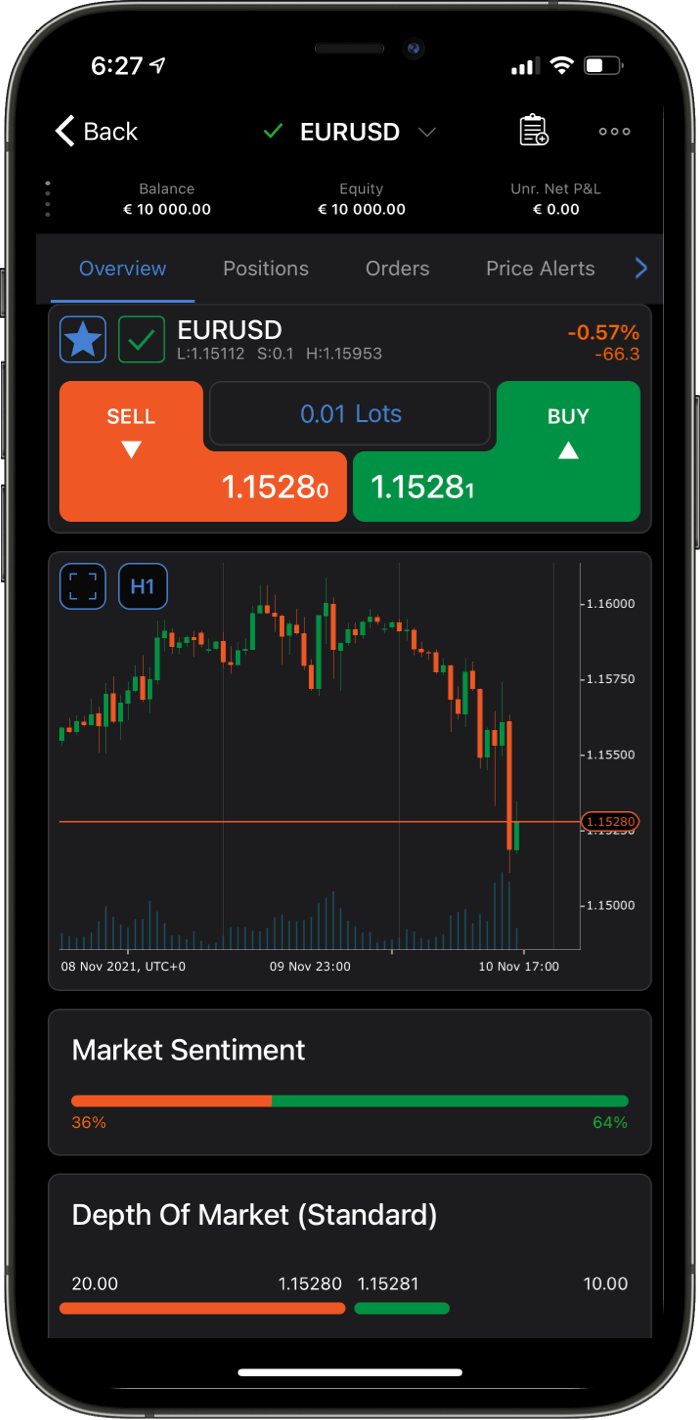
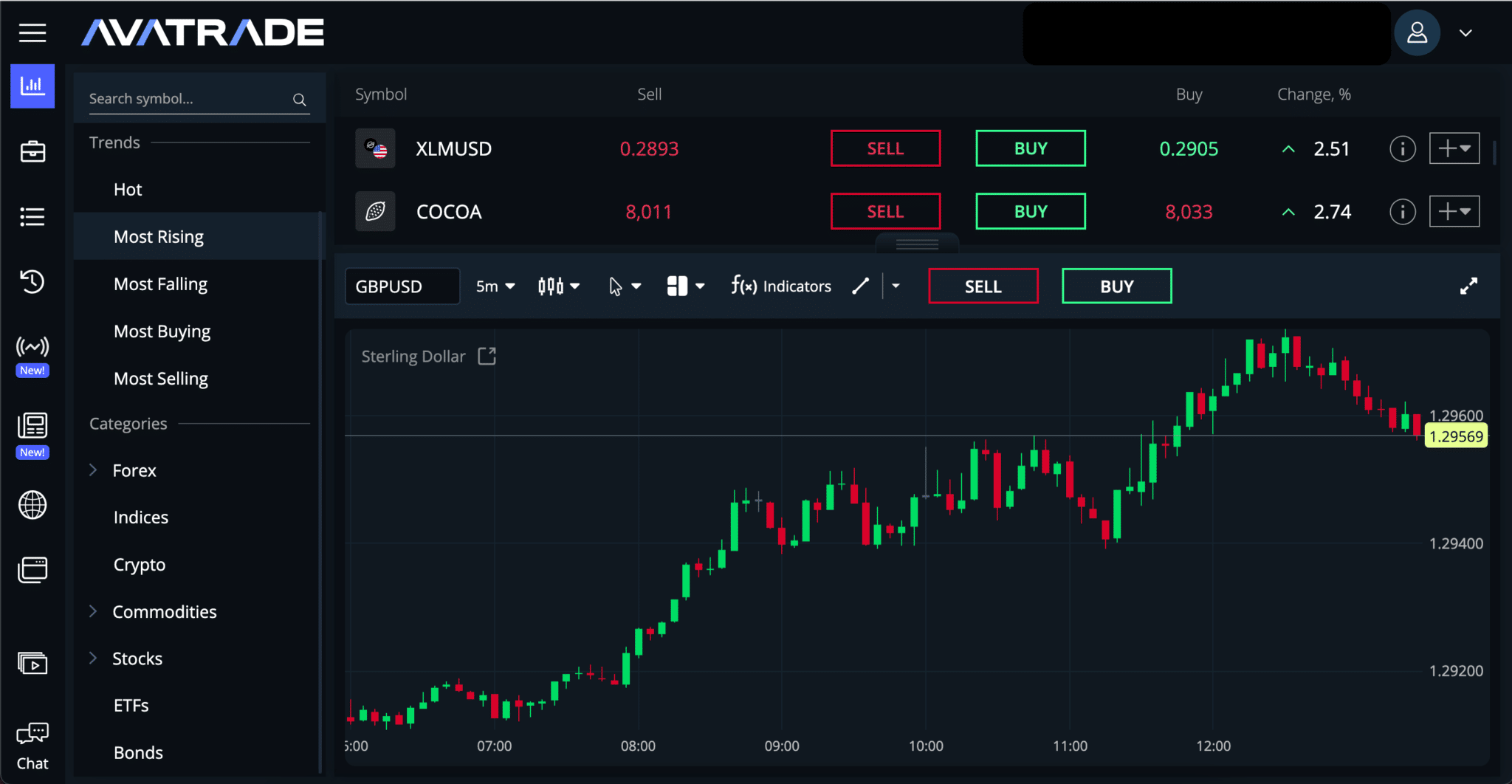
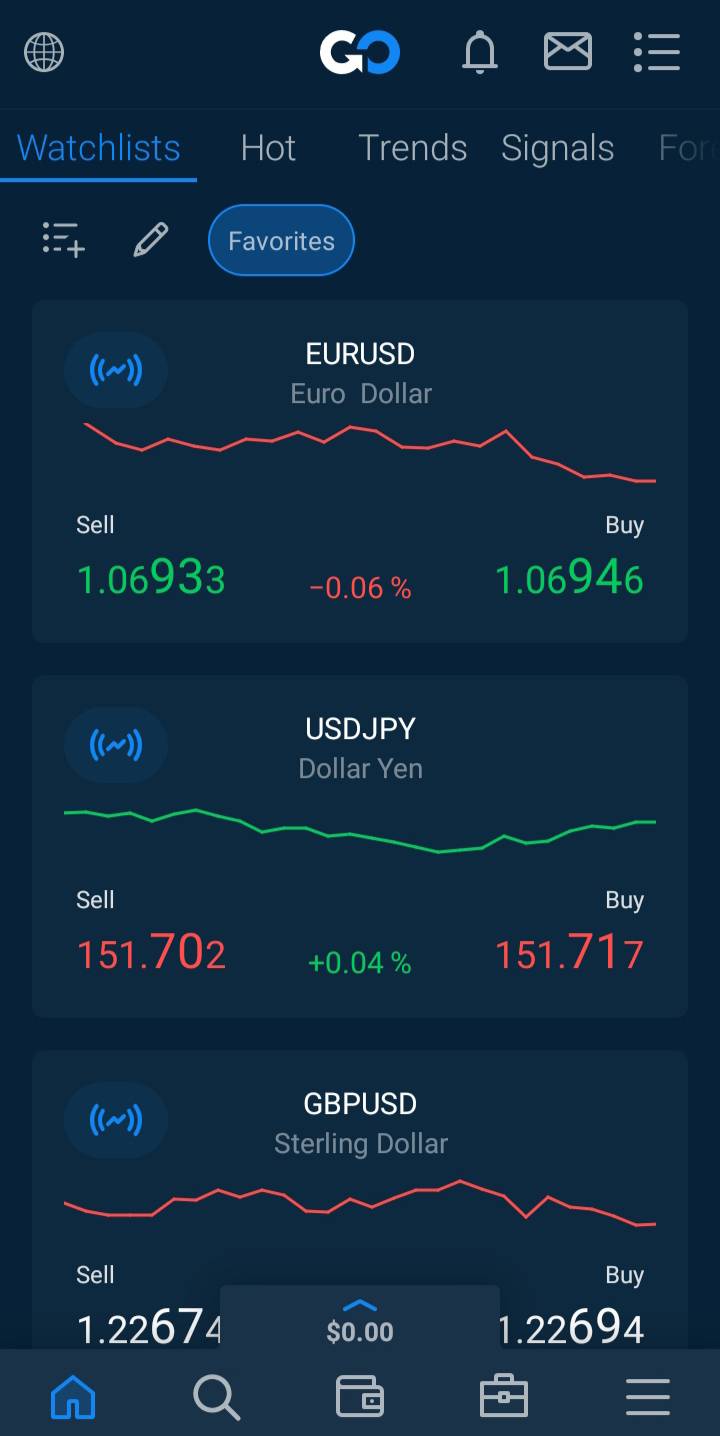
Feature-rich proprietary app with integrated risk management tools and trading central analysis, perfect for beginners and mobile-first traders.
Supports MT4, MT5, AvaOptions (for FX options trading), DupliTrade, and ZuluTrade for social/automated trading.
AvaTrade offers fixed spreads across platforms, giving traders consistent costs without unexpected price swings.
AvaProtect tool allows protection against losses on select trades, ideal for risk-conscious retail traders.
While AvaTradeGO is robust, it lacks support for platforms like cTrader or TradingView used by pro-level traders.
Although global stock CFDs are available, depth of market and Level 2 data are not supported.
AvaTrade | Best For: Traders seeking a balanced mix of simplicity, automation, and platform options
FxScouts
YouTube
Select another broker to another broker to compare features, fees, and platforms side by side.
0.1 pips
FMA, FSA-Seychelles
USD 0
cTrader, MT4, TradingView, MT5
500:1
Full trade execution from TradingView charts makes BlackBull ideal for chart-driven and social traders.
Low-latency access via NY4 servers with institutional-grade spreads, perfect for scalping and algorithmic trading.
VPS is offered for free to eligible high-volume traders—ideal for EAs and low-latency strategies.
MT4, MT5, and TradingView are all supported with transparent ECN pricing and STP order routing.
BlackBull is regulated in New Zealand (FMA), which might not appeal to Australians who prefer ASIC protection.
While trading tools are strong, the dashboard and portal are less polished than competitors like IG.
Select another broker to another broker to compare features, fees, and platforms side by side.
0.4 pips
SCB, DFSA, FSCA, CySEC, FCA
AUD 100
cTrader, MT4, MT5, FxProEdge
200:1
FxPro offers MetaTrader 4, MetaTrader 5, cTrader, and its proprietary FxPro Edge—meeting the needs of both algorithmic and discretionary traders with flexibility and advanced tools.
Although not regulated by ASIC, FxPro is licensed by the FCA (UK), CySEC (Cyprus), SCB (Bahamas), FSCA (South Africa), and FSA (Seychelles), offering layered oversight and client fund protection.
FxPro delivers tight spreads on Raw+ accounts (e.g., 0.0 pips with low commissions) and fast execution, tailored for high-frequency and professional trading styles.
Client funds are fully segregated in major global banks and audited by PwC; negative balance protection is also standard across regulated entities.
Australian clients can fund via bank transfers, cards, PayPal, and e‑wallets, with most withdrawals processed within one business day.
Without ASIC oversight, Australian traders miss out on features like local dispute resolution, deposit protection, and regulatory alignment with retail CFD trading rules under Australian law.
Australian residents must open accounts under FxPro’s offshore entities, which may complicate legal rights, taxation handling, or access to localised support.
With multiple platform choices, account types, and regulatory frameworks, the setup and understanding of FxPro’s structure can be overwhelming for new traders.

FxPro | Best for: Australian traders seeking access to professional multi-platform trading (MT4, MT5, cTrader) with fast execution and global regulatory coverage
FxScouts
YouTube
Select another broker to another broker to compare features, fees, and platforms side by side.


This guide will help you understand what trading platforms are and find the one that suits your experience, trading style, and goals, with intuitive features, advanced tools, and reliable execution.
Trading platforms are software tools that connect Australian traders to the Forex market through brokers, enabling real-time price access, charting, order execution, account management, and risk control. Available as desktop, web, or mobile apps, they are either third-party (e.g., MetaTrader 4/5, cTrader, TradingView), used by ASIC-regulated brokers such as Pepperstone, IC Markets, or FP Markets, or proprietary, like AvaTrade’s AvaTradeGO or CMC Markets’ Next Generation platform, designed for user-friendly trading.
A platform’s performance directly impacts trading success, affecting chart responsiveness, execution speed, stop-loss functionality, technical indicators, automation, and access to support. For Australian traders, platforms with fast execution, robust mobile apps, and full ASIC compliance are essential for safety and competitive pricing.
A trading platform is software that provides market access, displays price charts, executes orders, and offers analysis tools. A Forex broker is the financial provider connecting you to the market, supplying liquidity, setting pricing (spreads/commissions), providing leverage, and managing your account. You trade through the platform with the broker. For example, MetaTrader 4 is a platform used via brokers like Pepperstone, IC Markets, or FP Markets, who handle order routing, spreads, and funds. Both are essential, working together.
The most popular trading platforms used by Australian traders are MetaTrader 4 (MT4), MetaTrader 5 (MT5), cTrader, and TradingView. These platforms are known for their reliability, fast execution, and powerful trading tools.
In addition to these, many Forex brokers also offer their own proprietary trading platforms—custom-built platforms designed for ease of use or specialised features. All major platforms, including broker platforms, are also available as mobile apps, so you can trade anytime, anywhere—even from your smartphone.
Each platform has its strengths, and the best choice will depend on your trading style, whether you rely on expert advisors (EAs), prefer manual charting, or want more in-depth market data.
Here’s a quick comparison of the key features of the four most widely used platforms:
| Features | MetaTrader 4 | MetaTrader 5 | cTrader | TradingView |
|---|---|---|---|---|
| Timeframes | 9 | 21 | 26 | Unlimited – customised timeframes |
| Chart Types | Line, Bar, candlesticks | Line, Bar, candlesticks | Bar, Candlesticks, Line +4 more | Bar, Candlesticks, Line +9 more |
| EA Trading |  |
|
|
|
| Indicators | 31 | 38 | 55 | 100+ |
| Pending Order Types | 4 | 6 | 4 | 6 |
| Depth of Market |  |
|
|
|
| Integrated Economic Calendar | |
|
|
Available as a widget |
| One Click Trading | |
|
|
|
| Trailing Stop | (But from the terminal side) |
(But from the terminal side) |
|
|
| Sentiment Display | |
|
|
|
| Coding Language | MQL4 | MQL5 | C# | Pine Script |
MetaTrader 4, launched in 2005, remains the backbone of retail forex trading thanks to its universal support from brokers and a massive marketplace of indicators and automated strategies (Expert Advisors). It connects through your broker’s server and offers real-time charts, order execution, and basic script automation via MQL4.
Suitable for beginners learning the ropes, manual traders growing in confidence, and those wanting to deploy or test EAs from the community. Despite newer alternatives, MT4 continues to combine simplicity, stability, and depth of community support, making it ideal for those getting started with minimal technical overhead.
The platform is available at Pepperstone, Fusion Markets, FP Markets, AvaTrade, and BlackBull.
MetaTrader 5 builds on MT4’s popularity but adds a more modern interface, greater financial instrument coverage, and advanced features like an integrated economic calendar, market depth (Level II pricing), extended built-in indicators, and multi-threaded backtesting for EAs using MQL5. The platform is available at Pepperstone, FP Markets, BlackBull, Fusion Markets, and AvaTrade.
Who should use it: traders who seek to diversify beyond forex into stocks or commodities, algorithmic traders requiring faster backtesting and order depth, or those planning to grow into sophisticated strategies. Though the interface can be slightly more complex, its power and speed justify the learning curve.
cTrader was developed specifically for ECN-style execution and is favoured by brokers like Pepperstone, FxPro, Fusion Markets, BlackBull, and FP Markets. It offers Level II market depth, visual order book insights, clean and modular charting with detachable frames, and a C#-based automation environment through cBot automation.
Ideal users are scalpers, day traders, and precision traders who demand raw spreads, transparent execution, and fast order placement. cTrader gives traders full control, minimal slippage, and a polished user interface for those who prioritise data clarity and speed.
Originally a community-driven, browser-based charting platform, TradingView now integrates with various brokers, allowing live trading directly from its interface. It includes Pine Script—a simple scripting language—and over one hundred built-in indicators. TradingView is available at Pepperstone, FP Markets, BlackBull, Eightcap and FXCM. Traders should be aware that there are costs associated with using TradingView.
Best for technical traders, strategy developers, and anyone who values visual clarity, community-shared trading ideas, and backtesting within charts. TradingView shines when combined with an execution platform. It’s less about order execution and more about market insight, analysis, and idea sharing.
Platforms like XTB’s xStation, AvaTrade’s WebTrader, An overview of how crypto CFDs work, their legal status in the UK and the main ways to trade cryptocurrencies, including brokers, exchanges, and peer-to-peer platforms. They emphasise onboarding ease, intuitive interfaces, and mobile-first experiences without the complexity of MT4 or cTrader.
Ideal for new traders wanting an uncomplicated trading environment, those relying on mobile execution or copy trading features, and anyone who prioritises support, education, and a polished experience over deep customisation. These platforms are often integrated with learning centres or social trading tools.


Learn about trading platform basics: fees, demo accounts, automation, available assets, technical indicators, order execution, fund safety, trading hours, and starting capital requirements.
Platforms themselves are usually free. Traders pay through spreads (difference between bid/ask prices) or commissions. Some brokers levy overnight financing (“rollover”) if positions carry past market close, and proprietary platforms may include account service fees.
Yes. Most brokers provide demo accounts—often preloaded with virtual funds—so you can test platform features, pricing, speed, and strategy execution in real-world conditions without risking capital.
Not equally. MT4 and MT5 support automated strategies via MQL scripting. cTrader offers cBots written in C#. TradingVIew supports strategy automation and backtesting, but many broker-owned platforms either limit or exclude scripting entirely.
Other assets you can trade are stocks, commodities, cryptocurrencies, indices and government bonds. Which assets are available on your trading platform will depend on your broker, and some brokers offer many more types of assets. Some of the rare assets include interest rates, ETFs and futures.
Technical indicators are used to identify trends, measure market volatility, and assess the strength and direction of current market conditions. Technical indicators can be divided into two categories: trend-following and oscillators. Trend-following indicators are used to identify the direction of a trend, while oscillators identify reversals in the trend.
Common types of technical indicators include moving averages, momentum indicators, relative strength index (RSI), Bollinger Bands, MACD (moving average convergence divergence), stochastics, Ichimoku clouds, Fibonacci retracements and more. Technical traders use indicators to determine potential entry and exit points for trades.
Order execution is the process by which a trading platform completes a buy or sell order at the requested price or the best available price in the market. It involves matching your trade with a counterparty (e.g., through a broker or exchange) and finalising it with speed and accuracy.
Why It Matters:
Choosing a platform with efficient execution enhances trading precision, lowers costs, and improves outcomes, especially in fast-moving markets
Prefer brokers regulated by recognised authorities—FCA, ASIC, CySEC, and FSCA. Look for negative balance protection, segregated client funds, and clear policies around margin and leverage.
Markets operate 24 hours a day, five days a week—generally from Sunday evening (GMT) through Friday evening (GMT) across global trading zones. Some platforms allow pending orders over weekends, but execution occurs on market open.
Account minimums vary. Some micro accounts allow trading with as little as $1 to $25, while standard accounts often require $100–$500 or more. Demo accounts are usually free. Higher leverage increases risk and should be used with care.
Curious about the latest in forex? You’re not alone. Many traders and investors are digging deeper into these topics to refine their strategies and understanding. Here’s a curated selection of “others also viewed” articles, offering a range of perspectives and insights that could prove valuable for your own forex journey.

Good Forex brokers for beginners will help their clients get started. These are the best Forex brokers for beginners in Australia for 2026.

Which broker offers the lowest spreads? We compare Forex spreads across 160+ regulated Forex brokers accepting Australian clients using the latest data.

Find the best brokers for trading the VIX, offering precise execution, low fees, and advanced tools to capitalise on market volatility.
60-90% of retail traders lose money trading Forex and CFDs. You should consider whether you understand how CFDs and leveraged trading work and if you can afford the high risk of losing your money. We may receive compensation when you click on links to products we review. Please read our advertising disclosure. By using this website, you agree to our Terms of Service.
Partner Manager and Financial Writer

Head of Content
Financial Writer



Welcome to the FxScouts community! We’re thrilled to have you on board. You’ve successfully signed up for our forex newsletter, where you’ll receive expert insights, market analysis, and the latest news straight to your inbox.
Get ready to stay ahead of the curve with our regular updates designed to help you make informed trading decisions.
Happy trading!
The FxScouts Team